技能详情(站内镜像,无评论)
作者:a1pha @0x5446
许可证:MIT-0
MIT-0 ·免费使用、修改和重新分发。无需归因。
版本:v2.0.3
统计:⭐ 0 · 289 · 1 current installs · 1 all-time installs
⭐ 0
安装量(当前) 1
🛡 VirusTotal :良性 · OpenClaw :良性
Package:0x5446/ohmytoken
安全扫描(ClawHub)
- VirusTotal :良性
- OpenClaw :良性
OpenClaw 评估
The skill's code, instructions, and requested env var match its description: it only reports model name and token counts to ohmytoken.dev using a single API key and network call.
目的
Name/description say it visualizes token usage; the skill requires a single OHMYTOKEN_API_KEY and its code posts model + token counts to api.ohmytoken.dev — this is proportionate and expected for the described feature.
说明范围
SKILL.md and instructions.md explicitly instruct adding OHMYTOKEN_API_KEY and claim only three fields (model, prompt_tokens, completion_tokens) are sent. The runtime code (src/index.ts) sends exactly those fields and nothing else; it does not read other files or env vars.
安装机制
No install spec is present (instruction-only). There is a small code file included but nothing that downloads or executes external installers. No high-risk install URLs or archive extraction.
证书
Only OHMYTOKEN_API_KEY is required (declared in claw.json and SKILL.md). That single API key is appropriate for authenticating usage reports; no unrelated credentials or broad environment access are requested.
持久
The skill is not always-enabled and does not request elevated or system-wide privileges. It uses the normal onLLMResponse hook and does not modify other skills or agent configuration.
综合结论
This skill appears internally consistent, but note that the remote service (api.ohmytoken.dev) will see your model names, token counts, and your IP address and can attribute activity to the provided API key. If you care about linking usage to your identity, review the open-source repo at https://github.com/0x5446/ohmytoken-oss, check the service's privacy policy, and consider using a dedicated or limited-scoped API key. If you want extra assur…
安装(复制给龙虾 AI)
将下方整段复制到龙虾中文库对话中,由龙虾按 SKILL.md 完成安装。
请把本段交给龙虾中文库(龙虾 AI)执行:为本机安装 OpenClaw 技能「ohmytoken」。简介:Visualize your AI token usage as real-time pixel art with customizable boards, …。
请 fetch 以下地址读取 SKILL.md 并按文档完成安装:https://raw.githubusercontent.com/openclaw/skills/refs/heads/main/skills/0x5446/ohmytoken/SKILL.md
(来源:yingzhi8.cn 技能库)SKILL.md
# ohmytoken
**Your AI spending, visualized as pixel art. In real-time.**
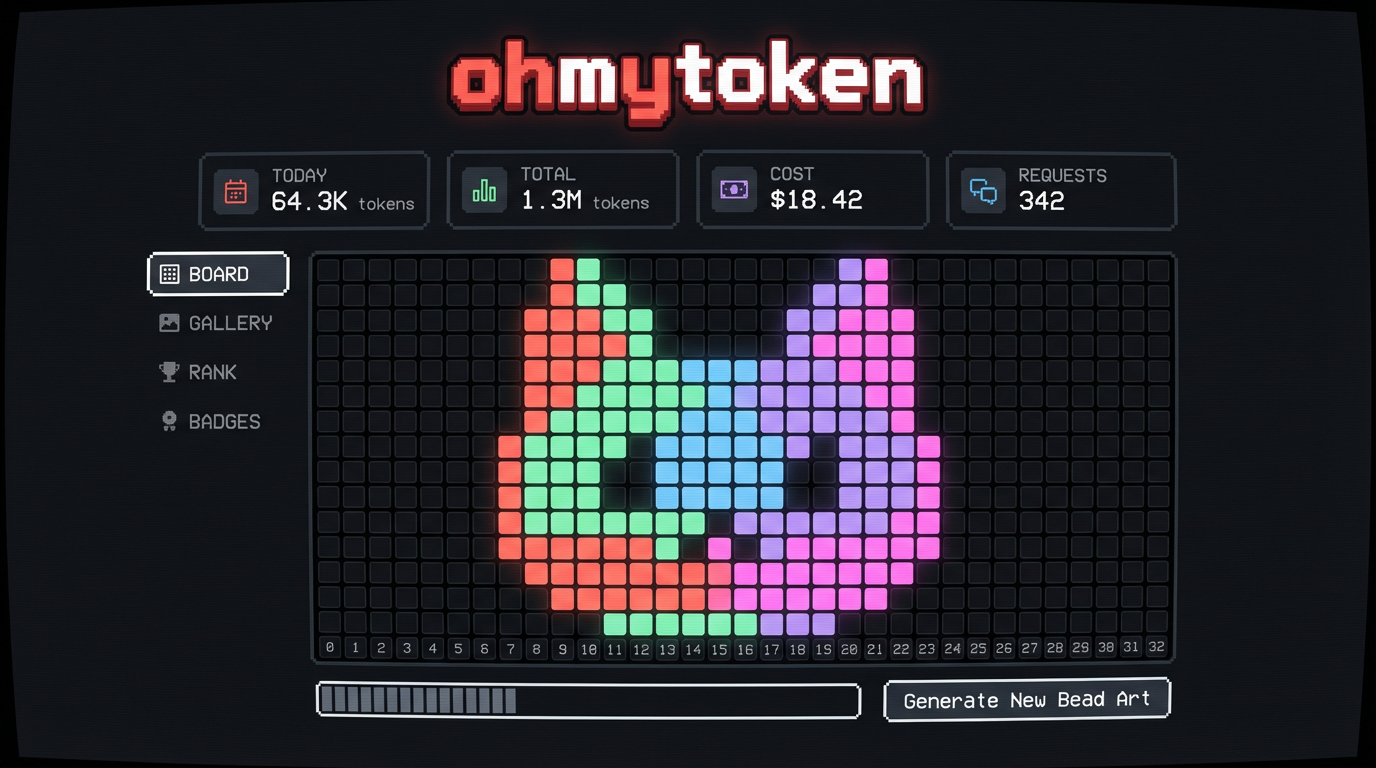
Ever wondered where all your tokens go? ohmytoken turns your invisible LLM spending into a mesmerizing pixel bead board that fills up as you chat, code, and create with AI.
## Why You'll Love It
**It's weirdly addictive.** Each model gets its own color — Claude is coral, GPT is green, Gemini is blue. Watch your board fill up in spiral patterns, rain down like Tetris, or bloom from the center. Pick a cat-shaped board, a heart, a Mario mushroom, or a star. Your token art is unique to you.
**It's social.** Share your board as a pixel art card with a QR code. See how you rank against other developers. Unlock achievements like "Night Owl" (coding at 2AM) or "Millionaire" (1M tokens burned). Browse the gallery of everyone's boards.
## Setup: 3 Steps, 2 Minutes
### Step 1: Get Your API Key
1. Go to [ohmytoken.dev](https://ohmytoken.dev)
2. Click **"GITHUB"** or **"GOOGLE"** to sign in (one click, no passwords)
3. You'll see a **Welcome** screen with your API Key — it looks like `omt_f9c399...`
4. Click **COPY** to copy it
### Step 2: Install the Skill
Run this in your terminal:
```bash
openclaw skill install @0x5446/ohmytoken
```
### Step 3: Add Your API Key
Set the environment variable (recommended — won't leak via git):
```bash
export OHMYTOKEN_API_KEY="omt_paste_your_key_here"
```
Add this to your `~/.zshrc` or `~/.bashrc`, then `source ~/.zshrc`.
**Done!** Open [ohmytoken.dev](https://ohmytoken.dev) and watch the beads drop as you use AI.
## Privacy & Security
**We only collect token counts. Nothing else.**
| What we send | What we NEVER send |
|-------------|-------------------|
| Model name (e.g. "gpt-4o") | Your prompts |
| Prompt token count (integer) | Your responses |
| Completion token count (integer) | Your API keys to providers |
| | Your files, code, or data |
| | Any conversation content |
The tracker sends exactly **3 fields per request**: `model`, `prompt_tokens`, `completion_tokens`. That's it. Your prompts, responses, files, and code **never leave your machine**.
**Note**: Like any HTTP request, your IP address is visible to the server during the connection. We do not log or store IP addresses.
The `OHMYTOKEN_API_KEY` environment variable is the recommended way to configure your key — it stays out of version control and won't leak.
The source code is fully open: [github.com/0x5446/ohmytoken-oss](https://github.com/0x5446/ohmytoken-oss) — audit it yourself.
## What You Get
- **Real-time bead board** — tokens appear as colored pixels the moment you use them
- **7 board shapes** — square, cat, heart, star, circle, diamond, mushroom
- **7 fill animations** — sequential, spiral, center-out, random, snake, diagonal, rain
- **4 time views** — today, this month, this year, all-time
- **10 achievements** — from "First Burn" to "Millionaire"
- **Leaderboards** — total tokens, efficiency, model diversity, night owl
- **Share cards** — pixel art image + QR code + profile URL
- **Embeddable badges** — SVG badge for your GitHub README
- **Wrapped reports** — your personal token year-in-review
## Zero Friction
- Works with every model OpenClaw supports
- Runs silently in the background, never interrupts your workflow
- Google/GitHub OAuth login, no new account to create
- Completely free
---
Questions? Issues? [github.com/0x5446/ohmytoken-oss/issues](https://github.com/0x5446/ohmytoken-oss/issues)
Made with pixels and love. [ohmytoken.dev](https://ohmytoken.dev)